An inbox you can
think in.
A native email client for macOS and Apple Silicon. Find the message, read the conversation, write the reply. Fast local search, saved searches called Nests, and a calmer reader help you get on with your day.
Apple Silicon · macOS 14+ · Free beta · No Vireo account required.
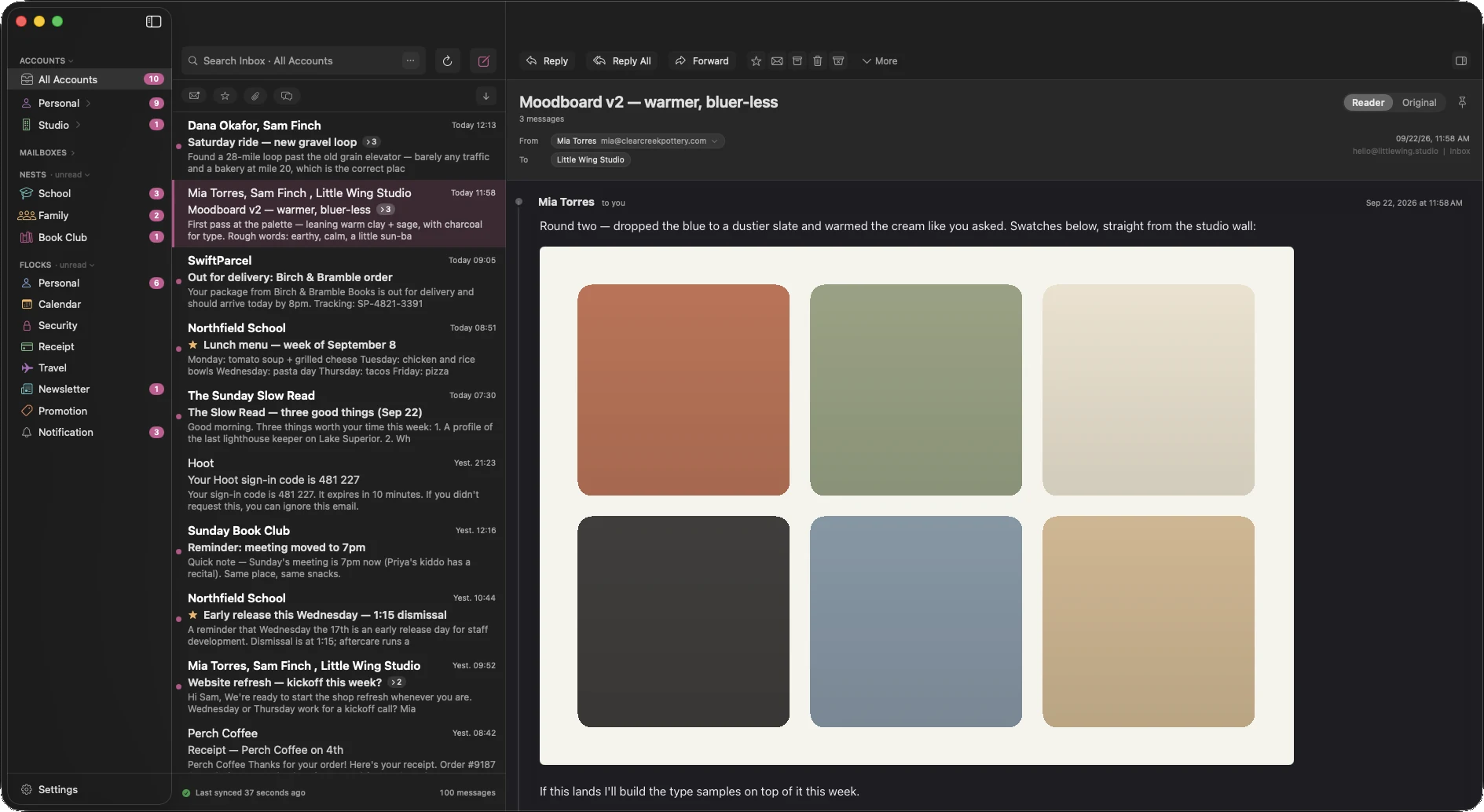
Find it. Read it. Get on with it.
Your existing email accounts, in one native Mac app. Built by an independent developer who wanted a quieter place to work.
Find it. Keep finding it.
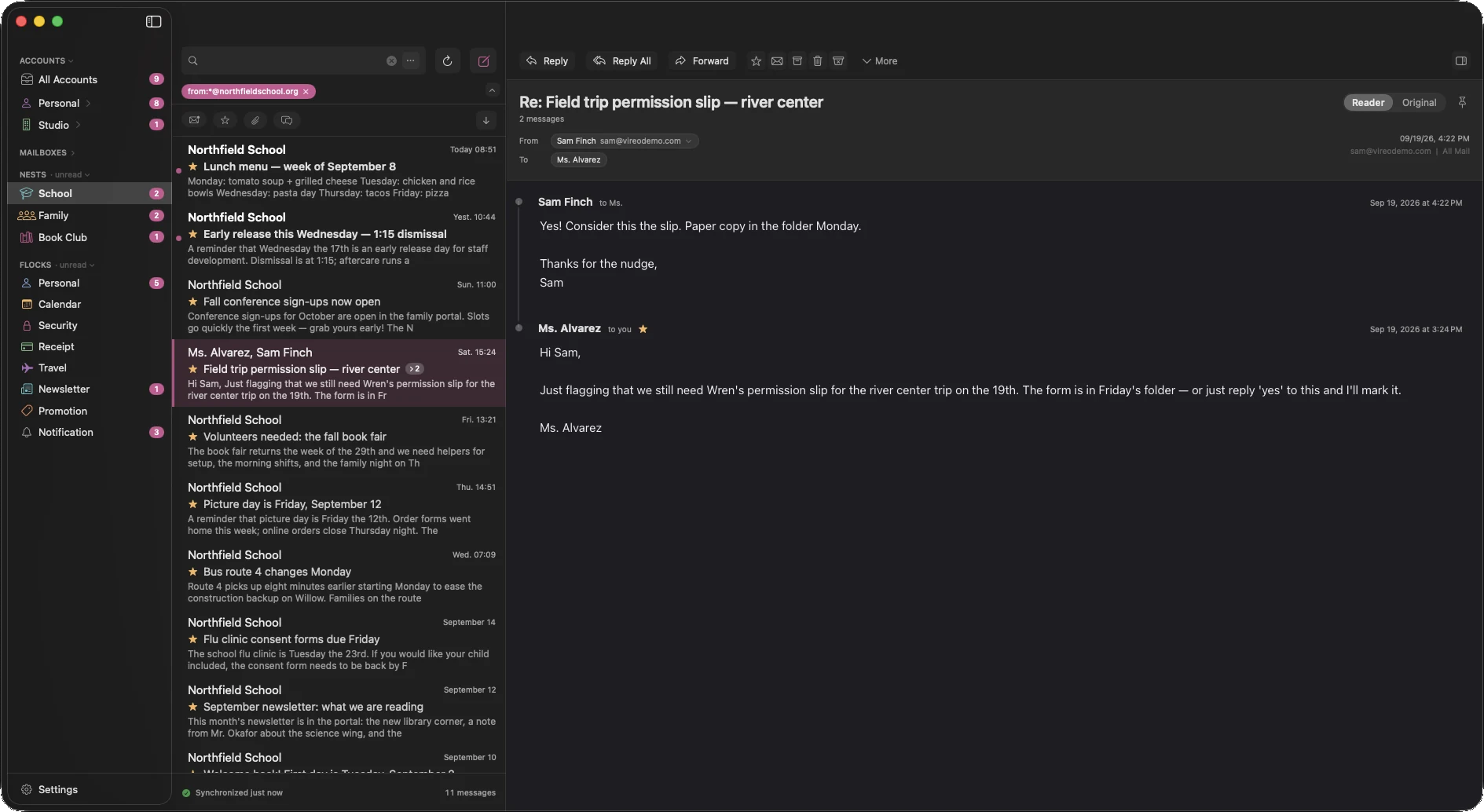
Search downloaded mail locally, even offline. Narrow the results with queries like from:school.org has:attachment, then save the search as a Nest in your sidebar.
Put people first
Separate personal messages from newsletters, receipts, and notifications. Try is:human is:unread to find the conversations waiting on you.
Less formatting. More conversation.
Reader view turns busy HTML into consistent, readable text. Switch to Original when you need the sender’s layout. Remote content stays blocked until you choose to load it.
Room to write
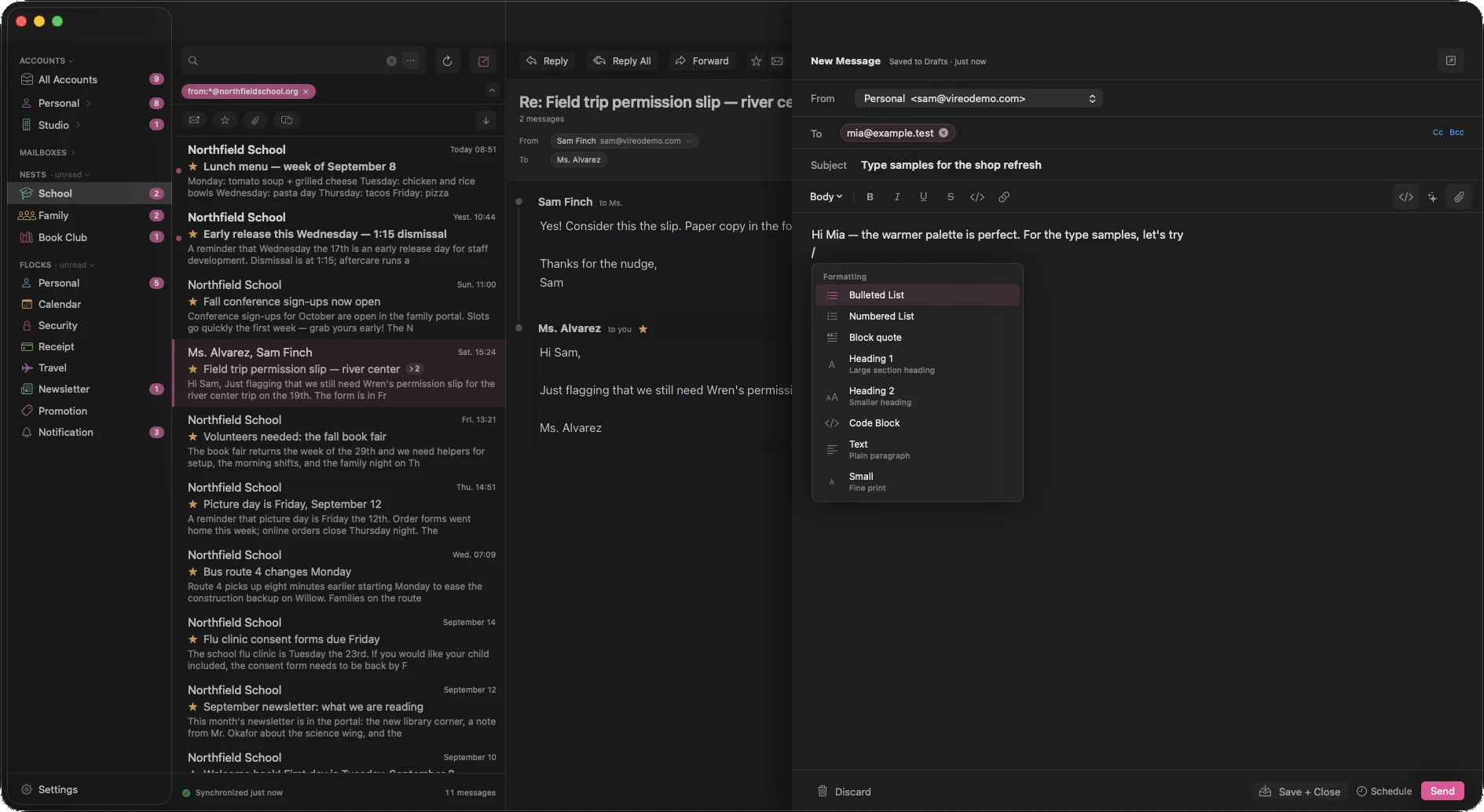
A focused composer with Markdown shortcuts, attachments, signatures, and reusable templates. Type / for formatting and templates, or open a separate compose window when you need more room.
Come back at the right time
Snooze conversations, set reminders, and schedule replies. Send Later requires Vireo to be running; overdue messages send at the next launch.
Your accounts, together
Group personal and work accounts without juggling windows. Connect iCloud, Fastmail, Gmail, or another IMAP provider. Some providers require an app password or additional setup.
A little help with the routine.
Set up the tools that help you. Leave the rest off. Ordinary email doesn’t require an AI provider.
Rules that work your way
Match incoming messages with a search, then file, tag, flag, or notify. Preview a workflow before enabling it and inspect its activity afterward.
from:school.org has:attachment → move to School · notifyChoose your assistant
Optional summaries and screening can use Apple Intelligence, your own Ollama instance, or a provider you configure. Local and cloud providers have different privacy properties; message content goes to the engine you select. Apple Intelligence requires a supported Mac and OS version.
Screening you can correct
Local spam filtering and sender rules help keep the noise down. Inspect and change your rules in Settings. Optional AI screening uses the provider you choose.
Connect your own tools
An opt-in local MCP server lets compatible agents search mail, read threads, and draft replies. Connected agents have their own processing and privacy behavior, including any cloud models they use.
claude mcp add --transport http vireo http://127.0.0.1:8765/mcpA direct line to your inbox.
Vireo connects directly to your mail provider. No Vireo-operated server sits between you and your mail. Optional AI, diagnostics, and connected agents are choices you control.
Before you download
Which Macs can run Vireo?
Packaged releases require Apple Silicon and macOS 14 Sonoma or later. Vireo is free beta software; expect rough edges.
Can I use my existing email address?
Yes. Vireo connects to IMAP accounts with SMTP for sending. It is an email client, not an email service. iCloud requires an app-specific password. Proton Mail requires Bridge.
How does Gmail setup work?
Use an eligible Google account’s app password, or configure your own Google OAuth client. Shared Google OAuth credentials are not included. Some managed accounts restrict these options.
Do I need AI?
No. Search, reading, composing, and account management work without an AI provider. If you enable AI, message content is processed by the engine you select. Cloud providers and connected agents may process it off your Mac.
Where can I get help or report a bug?
Use Help → Report an Issue in Vireo, or email [email protected]. Include your Vireo and macOS versions and the steps to reproduce the problem. Leave private message content out of your report.
Give your inbox
a better nest.
Free beta — expect rough edges. Signed and notarized for Apple Silicon. macOS 14 Sonoma or later. Bring your existing IMAP email account.